# Getting Started with TDD: SwiftUI
The [TDD (Test Driven Development)](https://en.wikipedia.org/wiki/Test-driven_development) approach is important when it comes to testing small portions of business logic code in isolation.
In this blog, I'll cover how I would use TDD to build a clean architecture To-do SwiftUI application
I'll cover implementing the "Get To-dos" use case.
[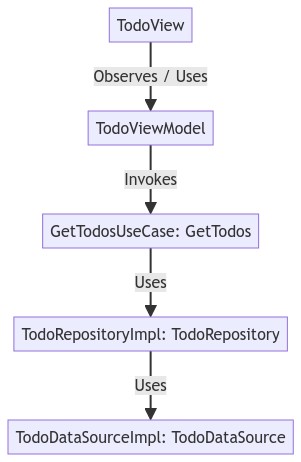](https://mermaid.live/edit/#eyJjb2RlIjoiZ3JhcGggVERcbiAgICAxW1RvZG9WaWV3XSAtLT58T2JzZXJ2ZXMgLyBVc2VzfCAyW1RvZG9WaWV3TW9kZWxdXG4gICAgMiAtLT4gfEludm9rZXN8IDNbR2V0VG9kb3NVc2VDYXNlOiBHZXRUb2Rvc11cbiAgICAzIC0tPiB8VXNlc3wgNltUb2RvUmVwb3NpdG9yeUltcGw6IFRvZG9SZXBvc2l0b3J5XVxuICAgIDYgLS0-IHxVc2VzfCA3W1RvZG9EYXRhU291cmNlSW1wbDogVG9kb0RhdGFTb3VyY2VdXG4gICBcbiAgICAiLCJtZXJtYWlkIjoie1xuICBcInRoZW1lXCI6IFwiZGVmYXVsdFwiXG59IiwidXBkYXRlRWRpdG9yIjpmYWxzZSwiYXV0b1N5bmMiOnRydWUsInVwZGF0ZURpYWdyYW0iOnRydWV9)
For this type of application, we need 2 types for application testing; UI Testing and Unit Testing. We'll be concentrating on the business logic, so we'll only be covering TDD unit testing. Before we write any production code, we'll write the test first.
The application will be structured in the following file and folder structure:
```
.
├── MyApp
├── Data
│ ├── DataSource
│ │ ├── TodoDataSource.swift
│ │ └── DB
│ │ ├── Entity
│ │ │ └── TodoDBEntity.swift
│ │ └── TodoDBDataSourceImpl.swift
│ └── Repository
│ └── TodoRepositoryImpl.swift
├── Domain
│ ├── Model
│ │ └── Todo.swift
│ ├── Repository
│ │ └── TodoRepository.swift
│ └── UseCase
│ └── GetTodos.swift
└── Presentation
├── TodoViewModel.swift
└── TodoListView.swift
└── MyAppTests
├── Data
│ ├── DataSource
│ │ └── DB
│ │ └── TodoDBDataSourceImplTest.swift
│ └── Repository
│ └── TodoRepositoryImplTest.swift
├── Domain
│ └── UseCase
│ └── GetTodosTest.swift
└── Presentation
└── TodoViewModelTest.swift
```
We'd like to develop the "TodoViewModel" through the practice of TDD
#### A note on TDD
TDD is a software development process in which the unit test will be written first and after that the original code. In TDD, the design and development of the code are through unit tests.
In the traditional unit tests, the unit test is written after the original code is written. This is only for long-term maintainability. But in TDD the unit test is written first and code evolved through it.
#### Red Green Refactor
Red Green Refactor is an interesting concept in TDD. The stages are given below:
**Red** - First a failing unit test is created, and it results in red status
**Green** - We will modify the associated code to just make the unit test pass - resulting in green status
**Refactor** - Once the test is passing we can refactor the code so that the original implementation is done.
To get started with testing in your iOS SwiftUI project, we need to add a test target:
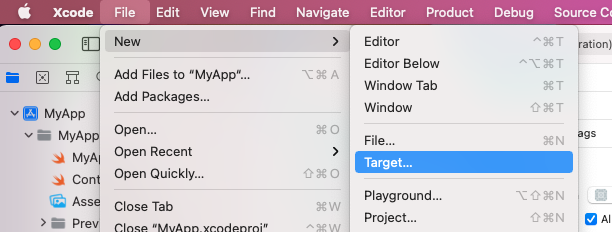
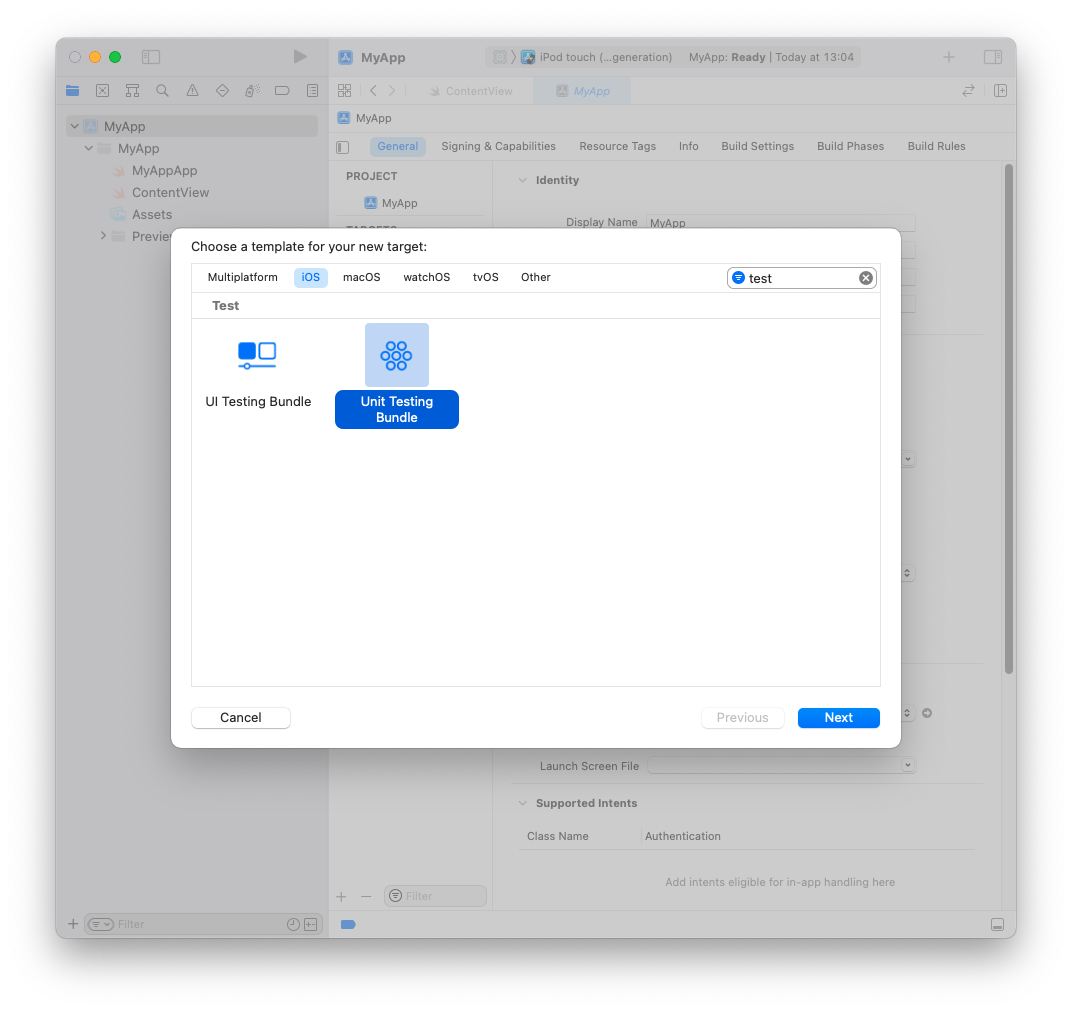
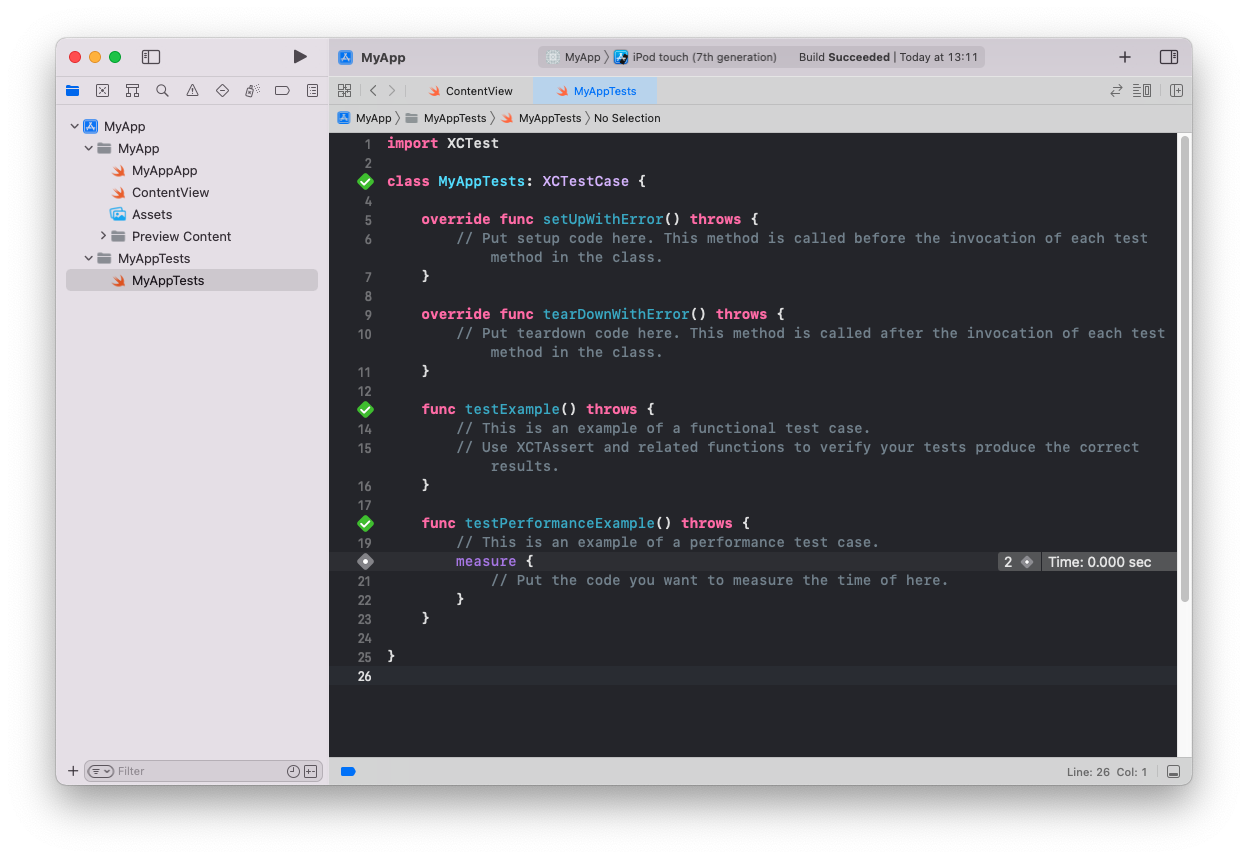
This now creates a test template:
To run the entire test suite click on the run button next to the class name or to run individual tests click the diamond button next to each test. Also note that each test needs to begin with the word "test"
Let's create the test and application file and folder structure. We'll just create the file without any production code. All development code will be driven by test code.
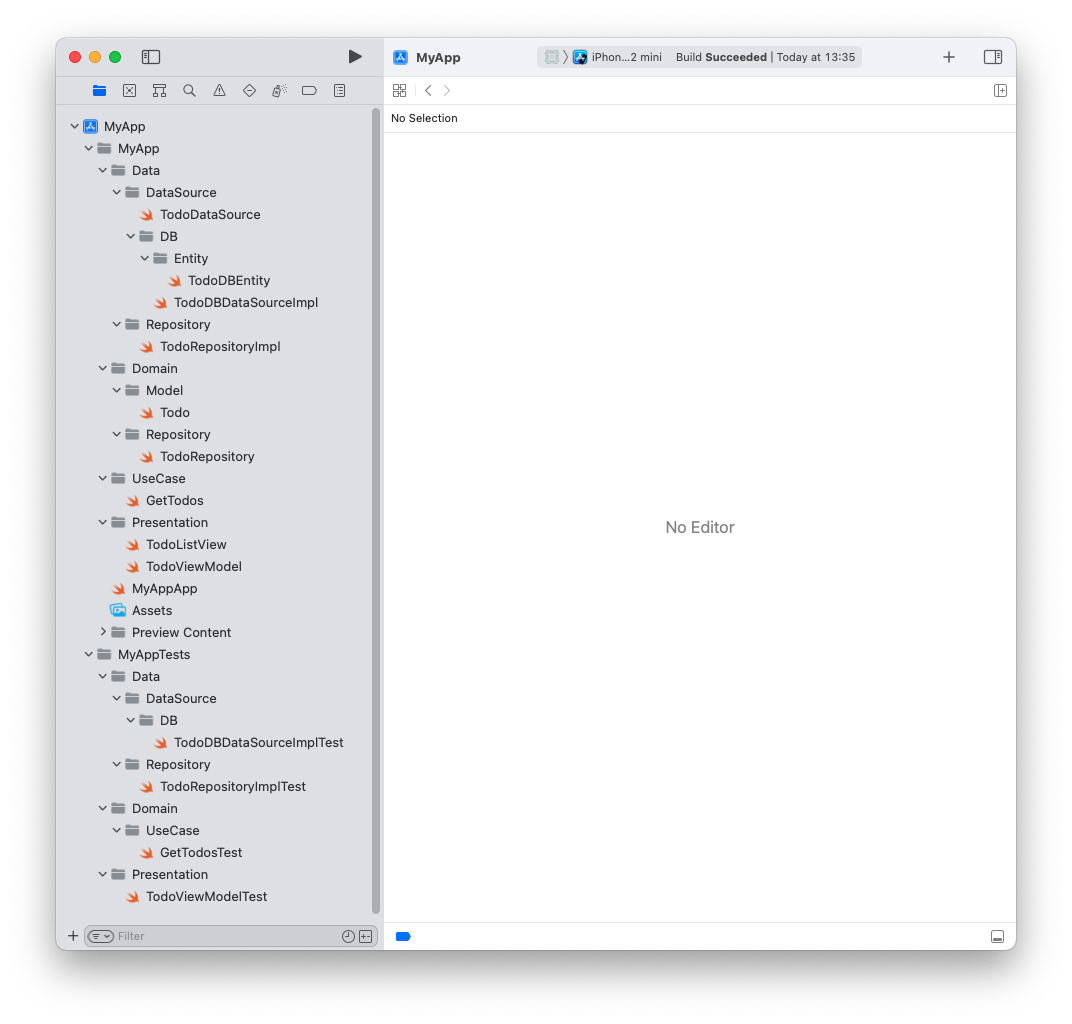
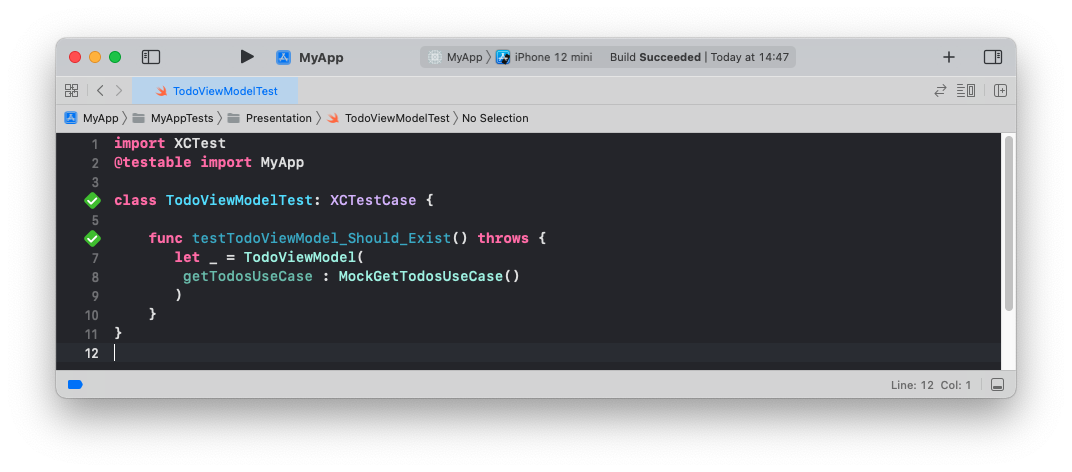
Let's start with our first test:
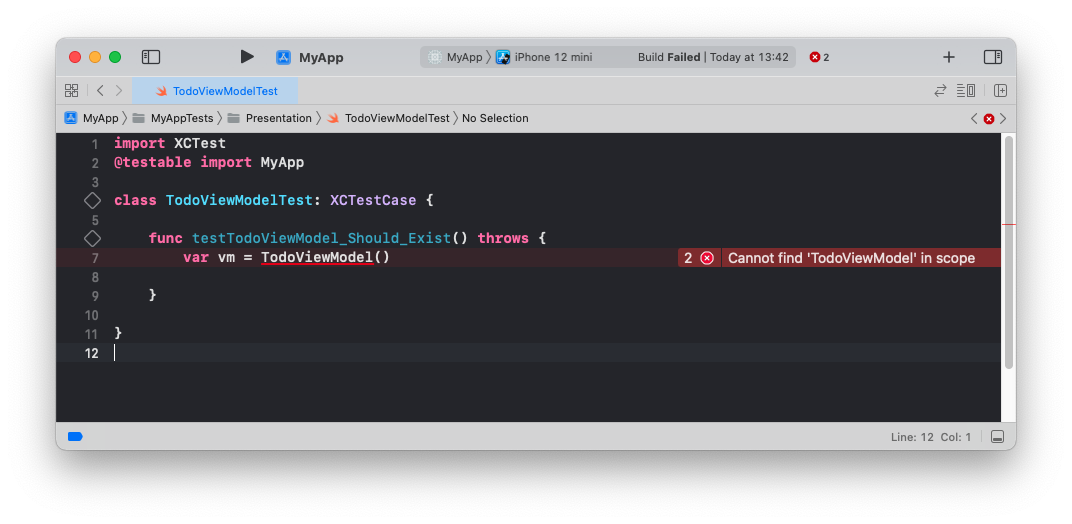
*MyAppTests/Presentation/TodoViewModelTest.swift*
Of course, this test doesn't build and therefore fails because the file doesn't exist.
We're in the RED Stage.
Let's write the minimum code to make the test pass.
```swift
import Foundation
class TodoViewModel: ObservableObject {
}
```
If we run the test again, it passes - GREEN Stage
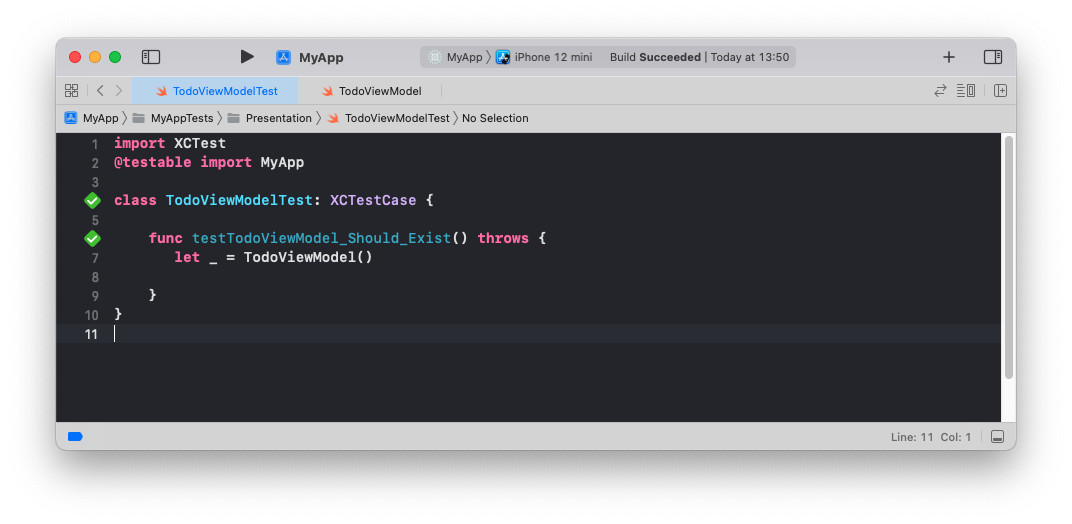
We also notice that the View Model takes a dependency so we'll have to change the test to include the getTodosUseCase
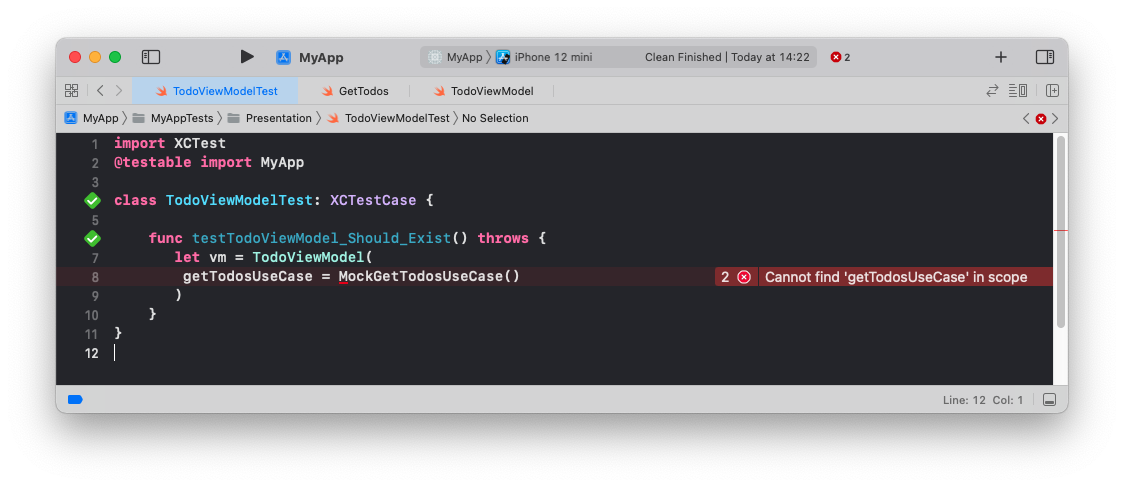
We're back in RED stage
Let's update the view model
```swift
import Foundation
class TodoViewModel: ObservableObject {
private var getTodosUseCase : GetTodos
init(getTodosUseCase: GetTodos){
self.getTodosUseCase = getTodosUseCase
}
}
```
We need to create the protocol and mock implementation for GetTodosUseCase. While we are at it let's create the Todo Model
```swift
enum UseCaseError: Error{
case dataSourceError, decodingError
}
protocol GetTodos {
func execute() async -> Result<[Todo], UseCaseError>
}
```
*MyApp/Domain/UseCase/GetTodos.swift*
```swift
import Foundation
struct Todo: Identifiable {
let id: Int
let title: String
let isCompleted: Bool
}
```
*MyApp/Domain/Model/Todo.swift*
Because we're testing and developing the view model, we don't need a GetTodos use case implementation at this stage, we will need to create a mock use case that implements the protocol
```swift
import Foundation
@testable import MyApp
class MockGetTodosUseCase: GetTodos{
func execute() async -> Result<[Todo], UseCaseError> {
Result.success([
Todo(id: 1, title: "Mock Title One", isCompleted: true),
Todo(id: 2, title: "Mock Title Two", isCompleted: false)
])
}
}
```
*MyAppTests/Domain/UseCase/MockGetTodosUseCase.swift*
The test passes - GREEN stage
Let's add a few more tests to drive the development of the view model
---
#### testTodoViewModel_Should_Return_An_Empty_Todos_List
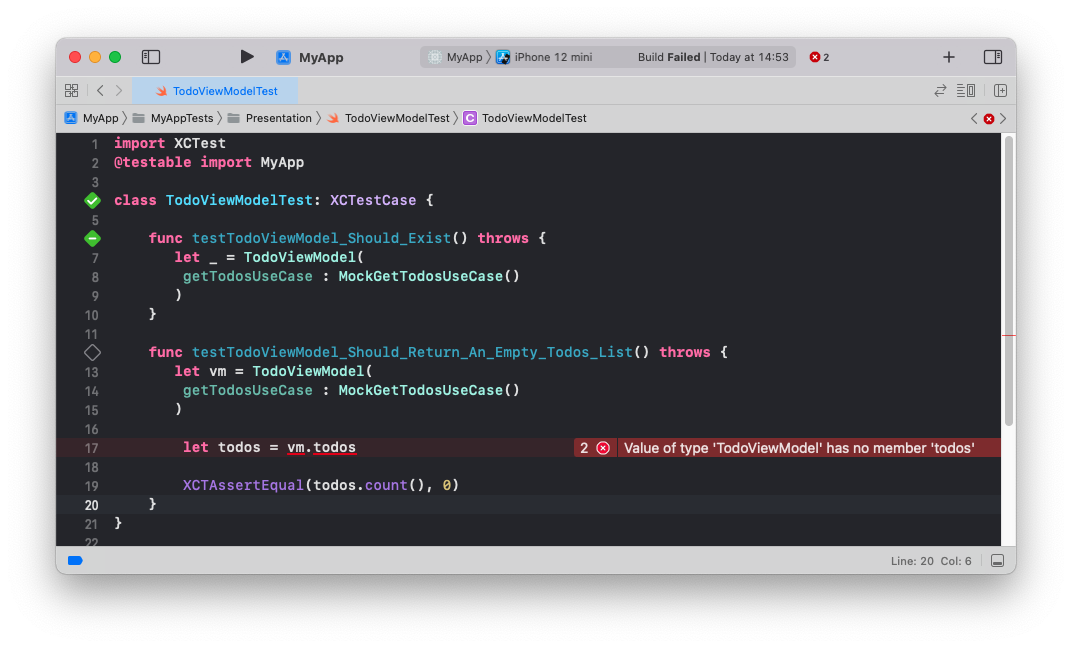
```swift
import Foundation
class TodoViewModel: ObservableObject {
private var getTodosUseCase : GetTodos
init(getTodosUseCase: GetTodos){
self.getTodosUseCase = getTodosUseCase
}
@Published
var todos: [Todo] = []
}
```
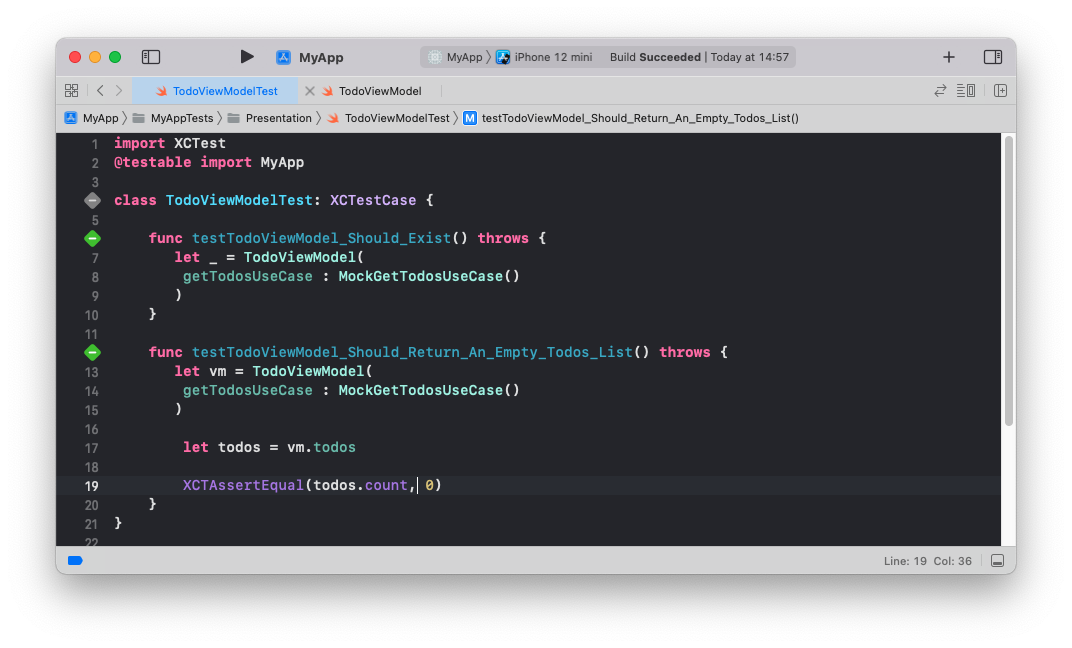
---
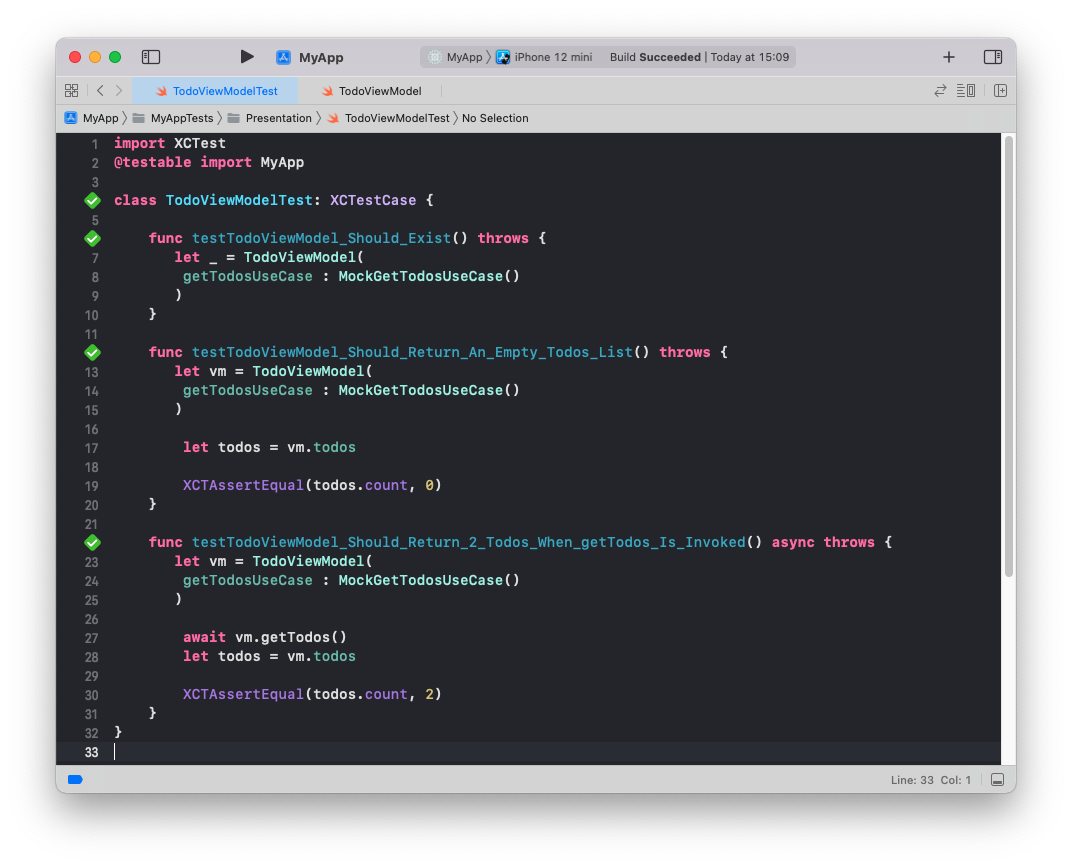
#### testTodoViewModel_Should_Return_2_Todos_When_getTodos_Is_Invoked
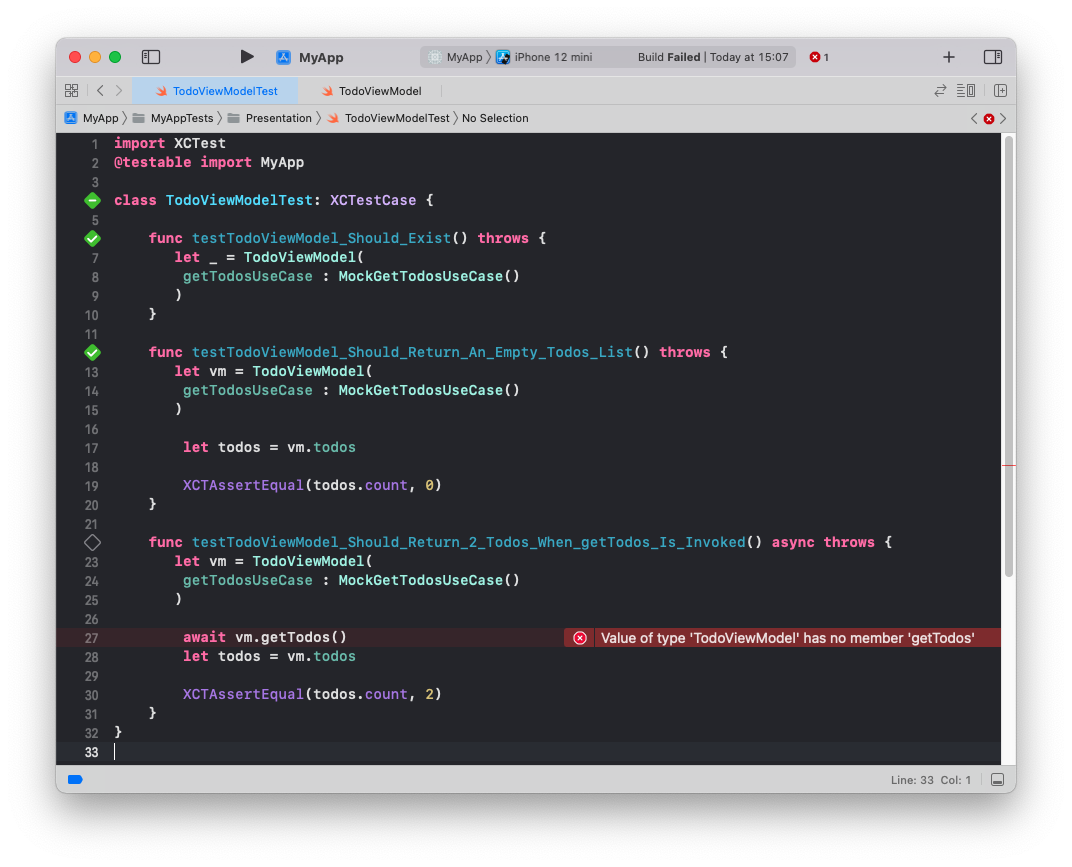
```swift
import Foundation
class TodoViewModel: ObservableObject {
private var getTodosUseCase : GetTodos
init(getTodosUseCase: GetTodos){
self.getTodosUseCase = getTodosUseCase
}
@Published
var todos: [Todo] = []
func getTodos() async {
let result = await self.getTodosUseCase.execute()
switch result{
case .success(let todos):
self.todos = todos
case .failure(_):
self.todos = []
}
}
}
```
---
#### testTodoViewModel_Should_Display_Error_Message_When_getTodos_Results_In_Error
let's create a use case that results in an error
```swift
import Foundation
@testable import MyApp
class MockGetTodosErrorUseCase: GetTodos{
func execute() async -> Result<[Todo], UseCaseError> {
Result.failure(.dataSourceError)
}
}
```
*MyAppTests/Domain/UseCase/MockGetTodosErrorUseCase.swift*
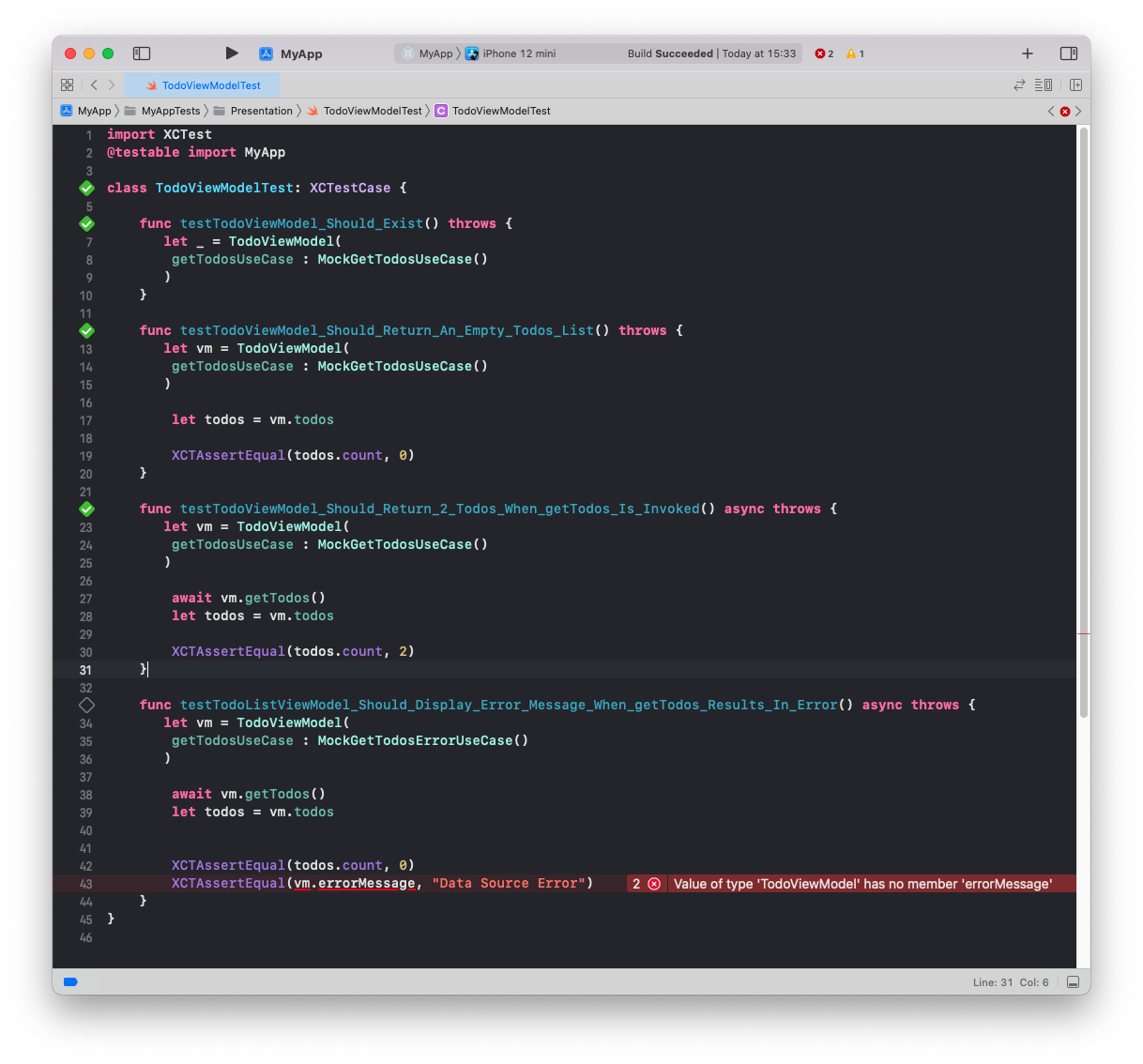
```swift
import Foundation
class TodoViewModel: ObservableObject {
private var getTodosUseCase : GetTodos
init(getTodosUseCase: GetTodos){
self.getTodosUseCase = getTodosUseCase
}
@Published
var todos: [Todo] = []
@Published
var errorMessage = ""
func getTodos() async {
let result = await self.getTodosUseCase.execute()
switch result{
case .success(let todos):
self.todos = todos
case .failure(let error):
self.todos = []
if(error == UseCaseError.dataSourceError){
errorMessage = "Error"
}
if(error == UseCaseError.decodingError){
errorMessage = "Data Decoding Error"
}
}
}
}
```
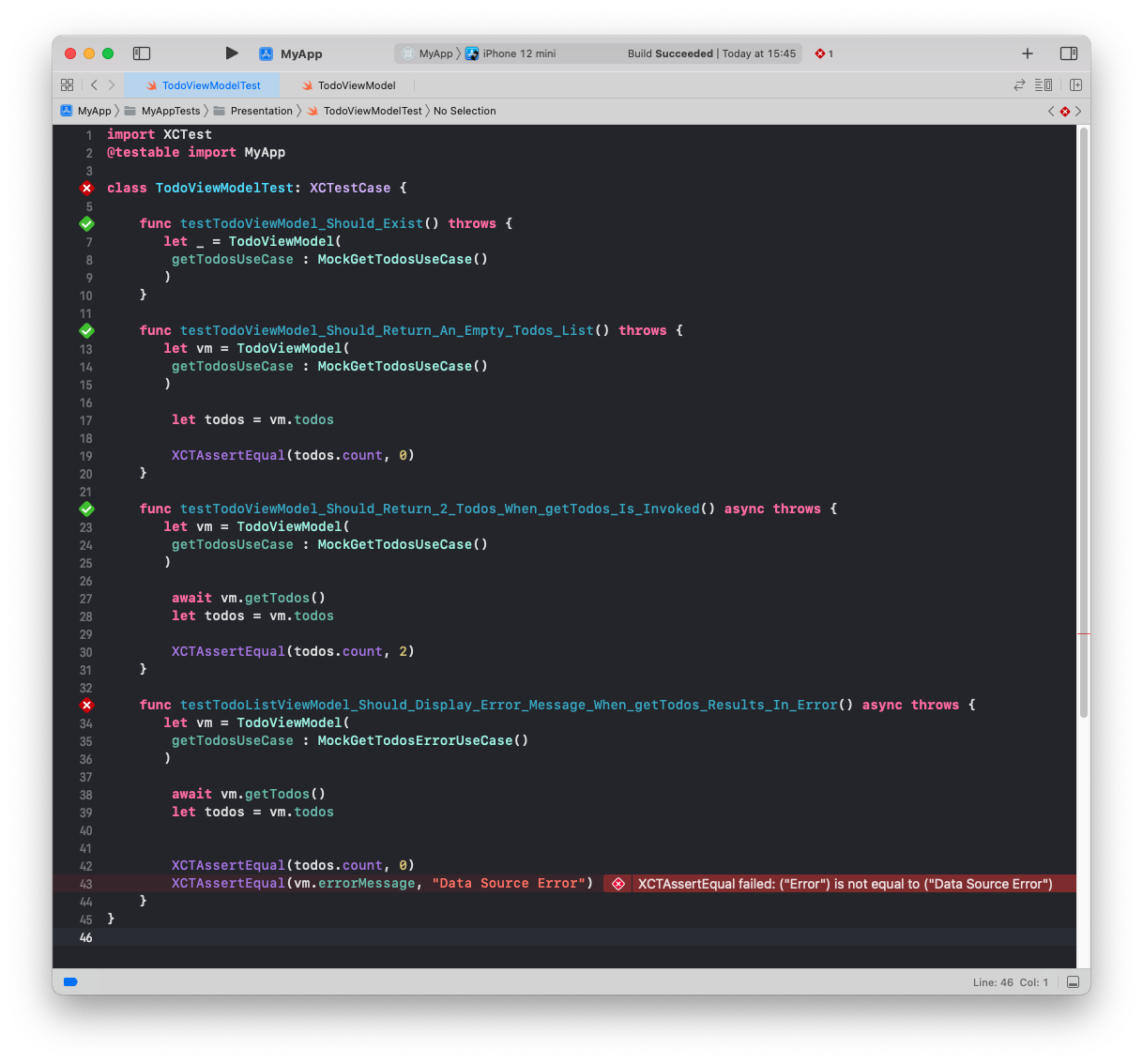
Our test is finally picking up that the error message is incorrect. We need to rename it from "Error" to "Data Source Error" and all the tests finally pass
```swift
if(error == UseCaseError.dataSourceError){
errorMessage = "Data Source Error"
}
```
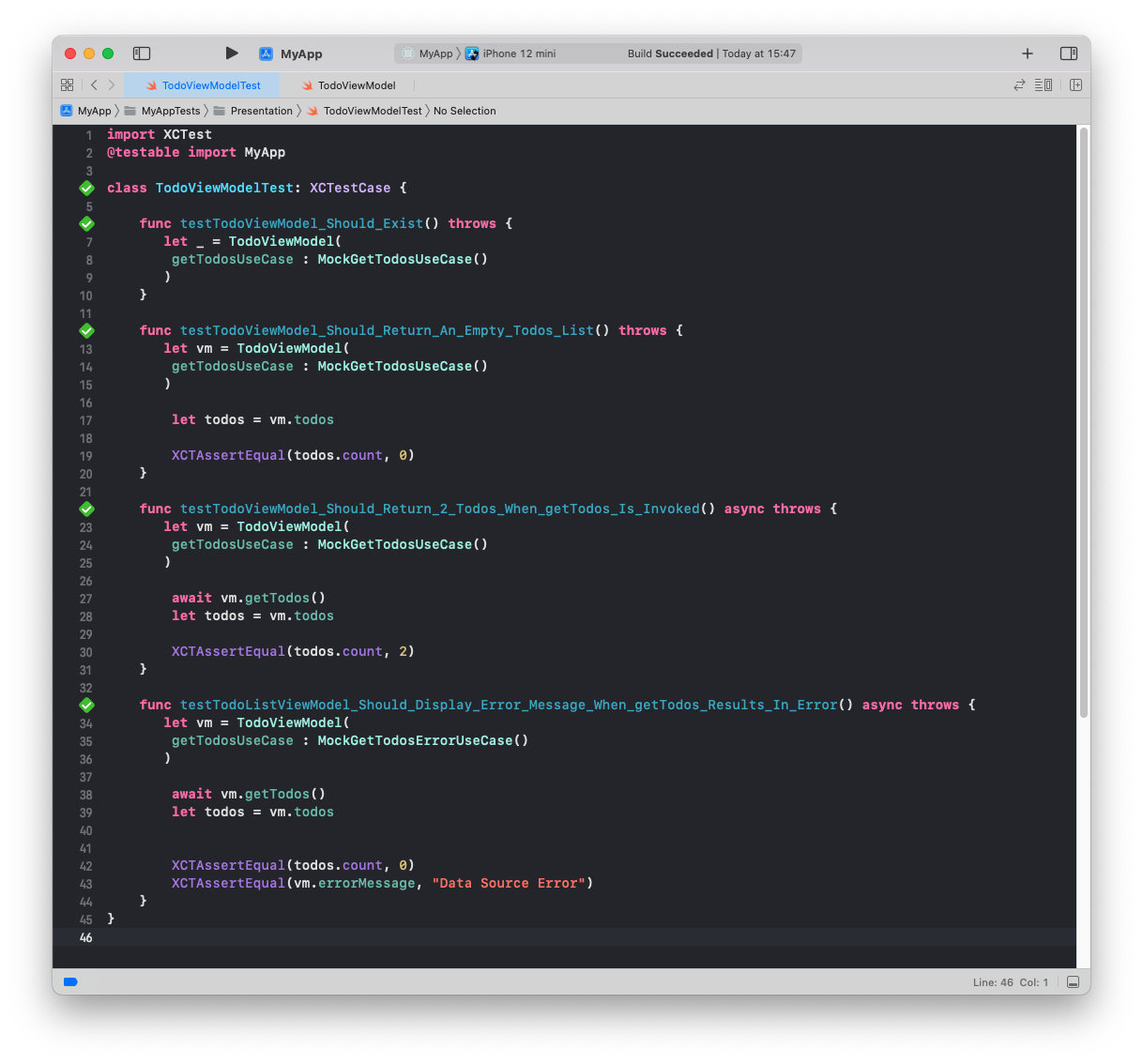
Our code for the todo view model is finally done. We can use the same process for all other business logic in other layers.