Login / Logout Flow: SwiftUI and EnvironmentObject

EnvironmentObject is useful when you want to create a dependency in a higher component of the layout tree and use it on a lower component without having to pass it down the tree through every child component.
We will now use EnvironmentObject to monitor when a user logs in and out.
- When the user is successfully logged in (isLoggedIn = true), they are directed to the rest of the application views.
- When a user is logged out (isLoggedIn = false) at any point within the app, they are directed to the login page.
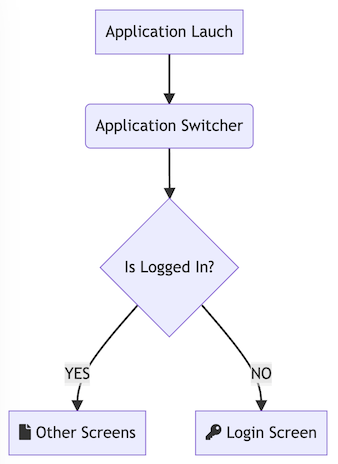
We need the following components:
- User State View Model
- Application Switcher
- Login Screen
- Home Screen (Our Application Views)
User State View Model
The user state view model tracks and broadcasts the user status. We store this view model in an EnvironmentObject.
import Foundation

enum UserStateError: Error{
    case signInError, signOutError
}

@MainActor
class UserStateViewModel: ObservableObject {

    @Published var isLoggedIn = false
    @Published var isBusy = false

    func signIn(email: String, password: String) async -> Result<Bool, UserStateError>  {
        isBusy = true
        do{
            try await Task.sleep(nanoseconds:  1_000_000_000)
            isLoggedIn = true
            isBusy = false
            return .success(true)
        }catch{
            isBusy = false
            return .failure(.signInError)
        }
    }

    func signOut() async -> Result<Bool, UserStateError>  {
        isBusy = true
        do{
            try await Task.sleep(nanoseconds: 1_000_000_000)
            isLoggedIn = false
            isBusy = false
            return .success(true)
        }catch{
            isBusy = false
            return .failure(.signOutError)
        }
    }
}
We make our view model instance available to all child views, starting from the ApplicationSwitcher view
Application Switcher
import SwiftUI

@main
struct LoginFlowApp: App {

    @StateObject var userStateViewModel = UserStateViewModel()

    var body: some Scene {
        WindowGroup {
            NavigationView{
                ApplicationSwitcher()
            }
            .navigationViewStyle(.stack)
            .environmentObject(userStateViewModel)
        }
    }
}

struct ApplicationSwitcher: View {

    @EnvironmentObject var vm: UserStateViewModel

    var body: some View {
        if (vm.isLoggedIn) {
                HomeScreen()
        } else {
            LoginScreen()
        }

    }
}
Login Screen
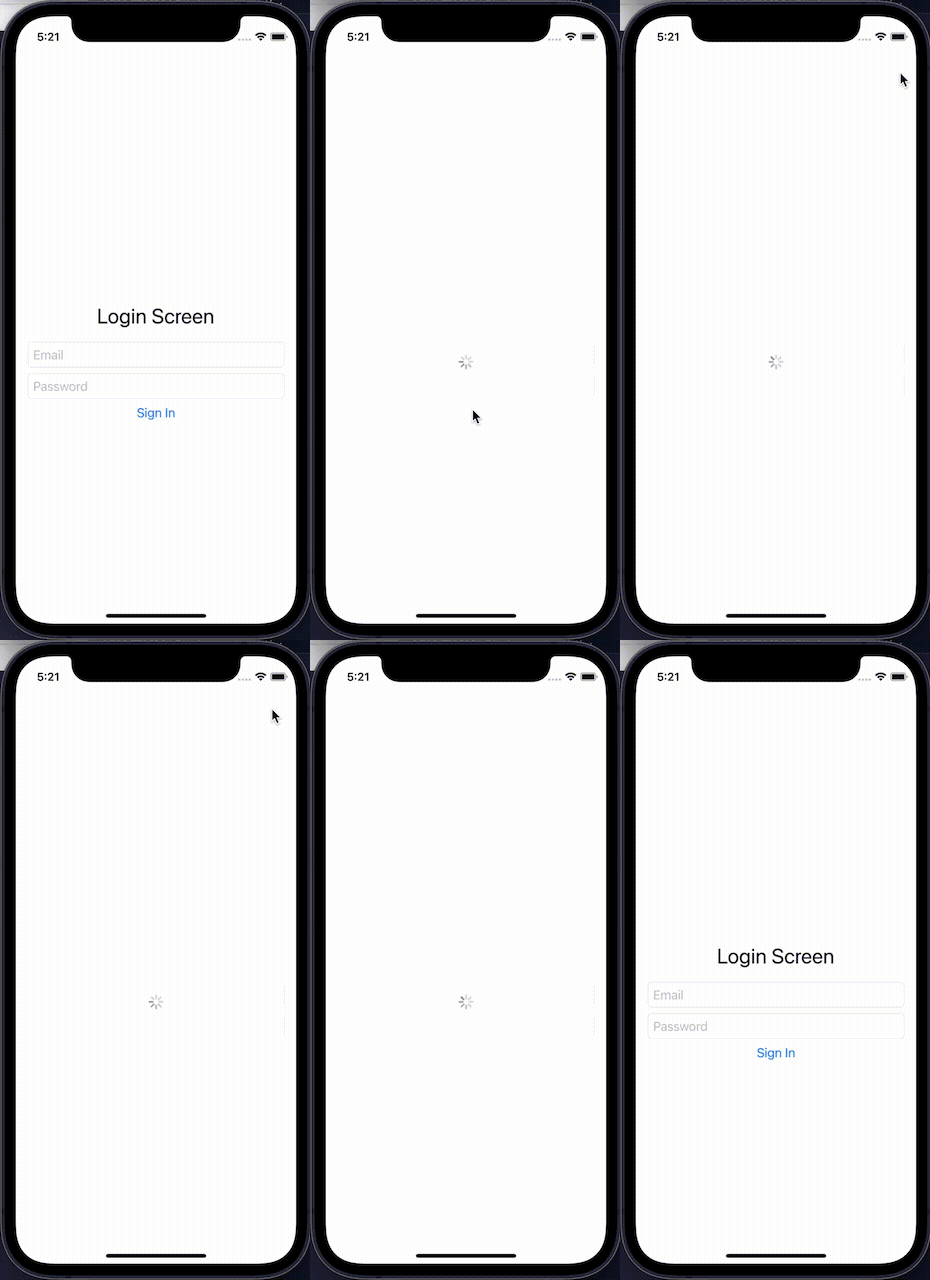
The Login screen uses the UserStateViewModel to invoke signIn
import SwiftUI

struct LoginScreen: View {

    @EnvironmentObject var vm: UserStateViewModel
    @State var email = ""
    @State var password = ""

    fileprivate func EmailInput() -> some View {
        TextField("Email", text: $email)
            .keyboardType(.emailAddress)
            .disableAutocorrection(true)
            .autocapitalization(.none)
            .textFieldStyle(.roundedBorder)
    }

    fileprivate func PasswordInput() -> some View {
        SecureField("Password", text: $password)
            .textFieldStyle(.roundedBorder)
    }

    fileprivate func LoginButton() -> some View {
        Button(action: {
            Task {
                await vm.signIn(
                    email: email,
                    password:password
                )
            }
        }) {
            Text("Sign In")
        }
    }

    var body: some View {

        VStack{
            if(vm.isBusy){
                ProgressView()
            }else{
                Text("Login Screen").font(.title)
                EmailInput()
                PasswordInput()
                LoginButton()
            }
        }.padding()

    }
}
Home Screen with Logout Button
The Home screen uses the UserStateViewModel to invoke signOut
import SwiftUI

struct HomeScreen: View {

    @EnvironmentObject var vm: UserStateViewModel

    var body: some View {

        if(vm.isBusy){
            ProgressView()
        }else{
            Text("Home Screen")
                .navigationTitle("Home")
                .toolbar {

                        Button {
                            Task{
                                await vm.signOut()
                            }
                        } label: {
                            Image(systemName:  "rectangle.portrait.and.arrow.right")
                        }


                }
        }
    }
}
3.5K views


