SwiftUI 5.5 API Data to List View

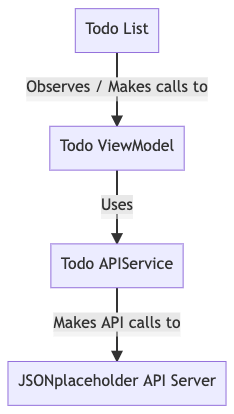
Many times we need to make API calls to fetch data to display in a list. Here, I show how to do that with SwiftUI. To illustrate the structure of the application, let’s look at the following diagram:
The Todo APIService
We need to create an API service to send the network requests. We will use URLSession. Here we have one method to fetch all todo item and deserialise them to [TodoItem]
import Foundation

struct TodoItem: Identifiable, Codable {
    let id: Int
    let title: String
    let completed: Bool
}

enum APIError: Error{
    case invalidUrl, requestError, decodingError, statusNotOk
}

let BASE_URL: String = "https://jsonplaceholder.typicode.com"

struct APIService {

    func getTodos() async throws -> [TodoItem] {

        guard let url = URL(string:  "\(BASE_URL)/todos") else{
            throw APIError.invalidUrl
        }

        guard let (data, response) = try? await URLSession.shared.data(from: url) else{
            throw APIError.requestError
        }

        guard let response = response as? HTTPURLResponse, response.statusCode == 200 else{
            throw APIError.statusNotOk
        }

        guard let result = try? JSONDecoder().decode([TodoItem].self, from: data) else {
            throw APIError.decodingError
        }

        return result
    }

}
The Todo ViewModel
The view model in turn uses the API Service to fetch todos to then publish
import Foundation

@MainActor
class TodoViewModel: ObservableObject {

    @Published var todos: [TodoItem] = []
    @Published var errorMessage = ""
    @Published var hasError = false


    func getTodos() async {
        guard let data = try?  await  APIService().getTodos() else {
            self.todos = []
            self.hasError = true
            self.errorMessage  = "Server Error"
            return
        }

        self.todos = data

    }
}
The Todo View
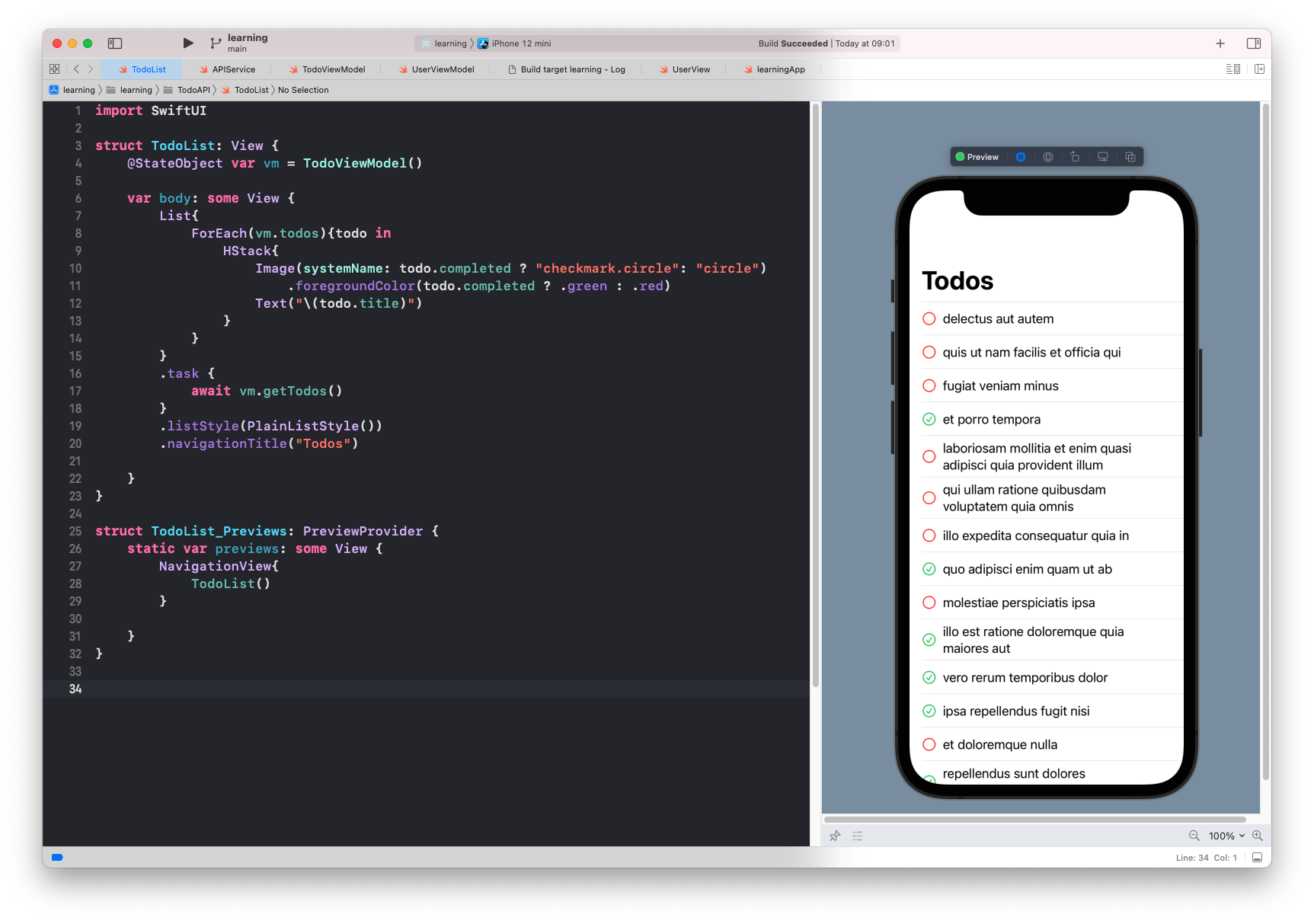
Finally we have the view which watches the ViewModel for any todo list state changes. The todo list is display in the view. On list appear the view makes the api call.
import SwiftUI

struct TodoList: View {
    @StateObject var vm = TodoViewModel()

    var body: some View {
        List{
            ForEach(vm.todos){todo in
                HStack{
                    Image(systemName: todo.completed ? "checkmark.circle": "circle")
                        .foregroundColor(todo.completed ? .green : .red)
                    Text("\(todo.title)")
                }
            }
        }
        .task {
            await vm.getTodos()
        }
        .listStyle(PlainListStyle())
        .navigationTitle("Todos")

    }
}