Android Jetpack Compose MVVM

Model–View–ViewModel (MVVM) is a software architectural pattern that facilitates the separation of the development of the GUI (the view) from the development of the business logic or back-end logic (the model) so that the view is not dependent on any specific model platform. The ViewModel of MVVM is responsible for exposing the data objects from the model in such a way that objects are easily managed and presented. In this respect, the ViewModel is more model than view and handles most if not all of the view’s display logic. The ViewModel may implement a mediator pattern, organizing access to the back-end logic around the set of use cases supported by the view.
I’ve put together a small sample showing these 3 layers and how they relate to each other in JetPack Compose. You’ll notice that other than property/method names, none of the objects need to know anything about the others. Each layer can be built completely independent of the others.
Sample Model
import java.util.*

data class User(
    var id: UUID,
    var name: String
)
Sample ViewModel
This should contain everything one would need to interact with the view. Right now it contains 2 members: users, and an addUser function. Note we’re using mutableStateListOf to maintain state of a collection of users in the view model.
import androidx.compose.runtime.*
import androidx.lifecycle.ViewModel

class UserViewModel : ViewModel() {
    private val _users = mutableStateListOf<User>()

    val users: List<User>
        get() = _users

    fun addUser(user: User) {
        _users.add(user)
    }
}
Sample View
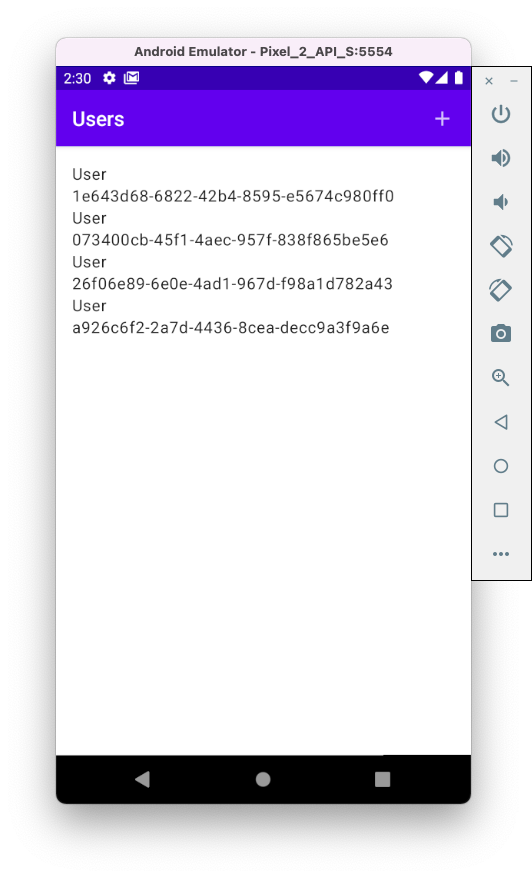
And now the View. These are DataTemplates that define how data should be displayed. ViewModels survive configuration changes, so they allow you to encapsulate state and events related to the UI without having to deal with the activity or fragment lifecycle that hosts your Compose code.
@Composable
fun UserView() {
    val vm by remember { mutableStateOf(UserViewModel()) }
    Scaffold(
        topBar = {
            TopAppBar(
                title = { Text("Users") },
                actions = {
                    IconButton(onClick = {
                        vm.addUser(User(UUID.randomUUID(), "User"))
                    }) {
                        Icon(Icons.Filled.Add, null)
                    }
                })
        },
        content = {
            Column(modifier = Modifier.padding(16.dp)) {
                LazyColumn(modifier = Modifier.fillMaxHeight()) {
                    items(vm.users) {
                        Column {
                            Text(it.name)
                            Text("${it.id}")
                        }

                    }
                }
            }
        }
    )
}
We can hoist the ViewModel further up the Compose UI tree to maintain a more global state as follows:
class MainActivity : ComponentActivity() {
    override fun onCreate(savedInstanceState: Bundle?) {
        super.onCreate(savedInstanceState)
        val vm = UserViewModel()
        setContent {
            MaterialTheme {
                UserView(vm)
            }
        }
    }
}

@Composable
fun UserView(vm: UserViewModel) {
    Scaffold(
        topBar = {
            TopAppBar(
                title = { Text("Users") },
                actions = {
                    IconButton(onClick = {
                        vm.addUser(User(UUID.randomUUID(), "User"))
                    }) {
                        Icon(Icons.Filled.Add, null)
                    }
                })
        },
        content = {
            Column(modifier = Modifier.padding(16.dp)) {
                LazyColumn(modifier = Modifier.fillMaxHeight()) {
                    items(vm.users) {
                        Column {
                            Text(it.name)
                            Text("${it.id}")
                        }

                    }
                }
            }
        }
    )
}